PS5 دليل ملحقات
PS5
يرسم هذا المركز النظام البيئي الرسمي لملحقات PS5 في أقسام شراء وإعداد واضحة حتى يتمكن القراء من الانتقال من البحث الواسع إلى الدليل التفصيلي الصحيح.
أساس الأدلة: ملحقات PlayStation الحالية وصفحات الدعم. ينظم هذا الدليل حالات الاستخدام ولا يطالب بإجراء اختبار عملي لكل منتج معروض.
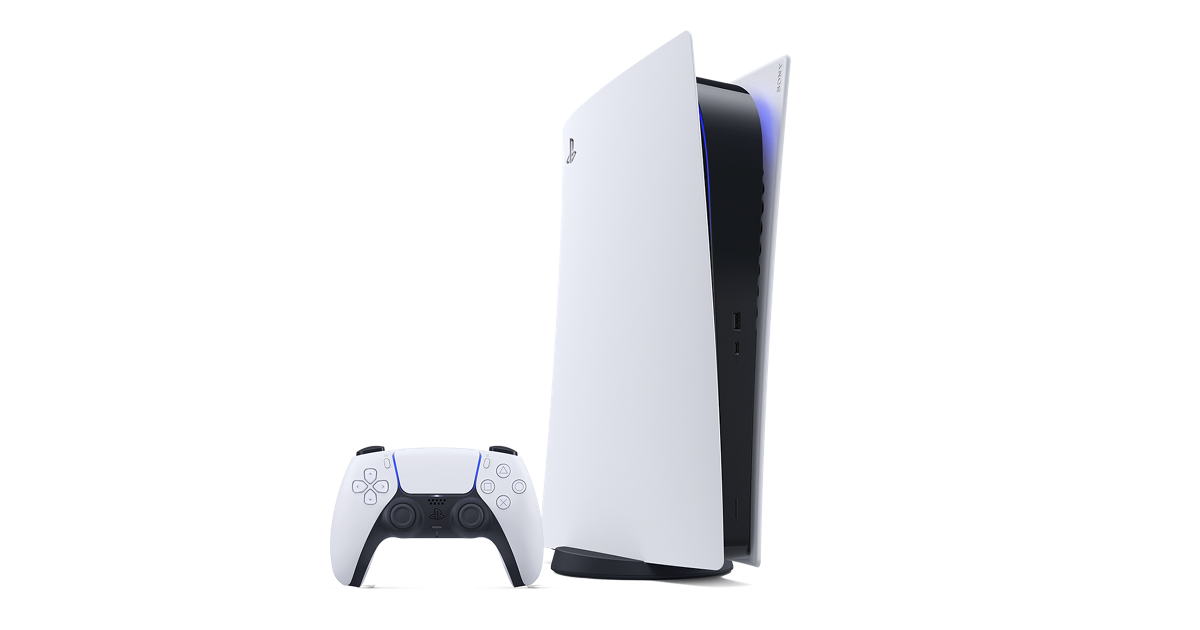
فئات ملحقات PS5
The PS5 accessory landscape can look scattered if every product is treated as a separate search. A stronger way to research it is to group accessories by intent. Controller pages answer input and comfort questions. Audio pages answer immersion and chat questions. Charging pages answer daily readiness questions. Storage pages answer library size and installation questions. Camera and remote pages answer streaming and entertainment questions. This hub connects those intents so a reader can move through the guide in a clear path instead of bouncing between unrelated pages.
كيفية تحديد أولويات الملحقات
The best accessory order depends on how the console is used. A solo player with one controller may need charging before buying a premium controller. A family setup may need a second DualSense before anything else. A player with a growing digital library may get more benefit from an M.2 SSD than a headset. A living-room entertainment setup may benefit from the Media Remote because it makes streaming apps easier for everyone in the house to use.
The quickest decision framework is simple: fix the bottleneck you notice every week. If controllers are dead when people want to play, consider charging. If storage warnings interrupt downloads, study the SSD guide. If chat audio is unclear, compare headset options. If you stream gameplay, review the camera and capture workflow. This makes accessory research practical rather than speculative.
الروابط الرسمية والسياق المستقل
This site is an independent guide, so the role of each article is to explain the choice before sending readers to official PlayStation resources. Official pages remain the best source for current regional availability, package contents, support notes, and updated specifications. The guide pages add context around why a product category matters, which user need it solves, and what to check before relying on it in a specific setup.
That split is important for trust. Search visitors should not have to guess whether a link is commercial, affiliate, or official. The product directory and guide pages use direct official destinations where possible and explain when a page is a support resource rather than a product listing. Clear sourcing, visible explanations, and useful internal links are the foundation of the guide collection.
إلى أين تذهب بعد ذلك
If you are choosing an input device, start with the controller guide and then compare DualSense with DualSense Edge. If you are upgrading comfort or communication, open the headset guide. If you are improving convenience, read the charging station guide. If you are running out of room, read the storage guide before buying an SSD because physical fit and heatsink requirements matter. If the console is part of a TV-first setup, read the Media Remote guide.
The goal is not to buy every accessory. The goal is to build a PS5 setup that feels ready when you sit down to play. A good accessory should reduce friction, improve comfort, or unlock a feature you will actually use. Use this hub as the map, then use the detailed pages as the evidence.
أدلة ملحقات PS5 ذات الصلة
الأسئلة الشائعة حول دليل ملحقات PS5
ما هو أفضل ملحق PS5 الأول؟
بالنسبة لمعظم اللاعبين، تعد وحدة التحكم اللاسلكية DualSense الثانية أو محطة الشحن هي أفضل ملحق أول لأن كلاهما يعمل على تحسين اللعب اليومي. يعتمد الاختيار الصحيح على ما إذا كنت بحاجة إلى وصول متعدد اللاعبين أو استعداد أفضل لوحدة التحكم.
هل ملحقات PS5 الرسمية أفضل من ملحقات الطرف الثالث؟ تُعد ملحقات
الرسمية هي التوصية الأسهل عندما يكون التوافق والدعم والميزات الخاصة بجهاز PS5 أمرًا مهمًا. يمكن أن تكون منتجات الجهات الخارجية مفيدة، لكن هذا الدليل يركز على صفحات PlayStation الرسمية وموارد الدعم.
هل يحتاج كل مالك لجهاز PS5 إلى محرك أقراص M.2 SSD؟
لا، فأنت تحتاج فقط إلى محرك أقراص M.2 SSD عندما تتجاوز مكتبة الألعاب المثبتة مساحة التخزين الداخلية. إذا قمت بحذف الألعاب وإعادة تثبيتها بسهولة، فقد تتم ترقية مساحة التخزين لاحقًا.
هل يجب أن أشتري DualSense Edge أولاً؟ يعد
DualSense Edge هو الأفضل للاعبين الذين يقومون بتخصيص عناصر التحكم بشكل فعال. يجب أن يبدأ معظم اللاعبين باستخدام DualSense القياسي والترقية فقط إذا كانوا بحاجة إلى إعادة التعيين أو أزرار الرجوع أو الملفات الشخصية أو تغييرات طول المشغل.
لماذا يرتبط هذا الدليل بصفحات PlayStation الرسمية؟ تُعد صفحات
الرسمية على PlayStation أفضل مصدر للحصول على تفاصيل المنتج الحالية ومدى التوفر وملاحظات التوافق وتحديثات الدعم. يضيف موقع playstation5.co سياقًا مستقلاً قبل تلك الروابط الرسمية.
هل يمكن لملحق واحد تحسين كل عملية إعداد؟
لا يوجد ملحق واحد يناسب كل إعدادات PS5. أفضل ملحق هو الذي يحل نقاط الاحتكاك الأكثر شيوعًا لديك: الإدخال أو الصوت أو الشحن أو التخزين أو البث أو التحكم في الوسائط.