Audio and headset guide
PS5 Headset and Audio Guide
This guide helps PS5 owners decide when a dedicated headset matters, how PULSE 3D fits into the setup, and what to check before relying on wireless audio.
Evidence basis: PlayStation product and audio-support documentation. No microphone, latency, fit, or sound-quality test is claimed on this page.
When a Headset Matters
A headset is not just about loud sound. For many PS5 players it solves privacy, chat, and focus. If you play late at night, share a living room, or join voice chat, a headset can improve the experience immediately. It can keep game audio close, reduce room noise, and make team communication easier. That benefit is different from a speaker upgrade because it changes how directly the player hears the game.
A headset matters less if the console is used mainly for cinematic single-player games through a strong TV audio setup. It also matters less for players who never join chat. The decision should start with habits. Do you need private sound? Do you need clearer communication? Do you move between seats? Do you want a simple official wireless option? Those questions determine the value.
Where PULSE 3D Fits
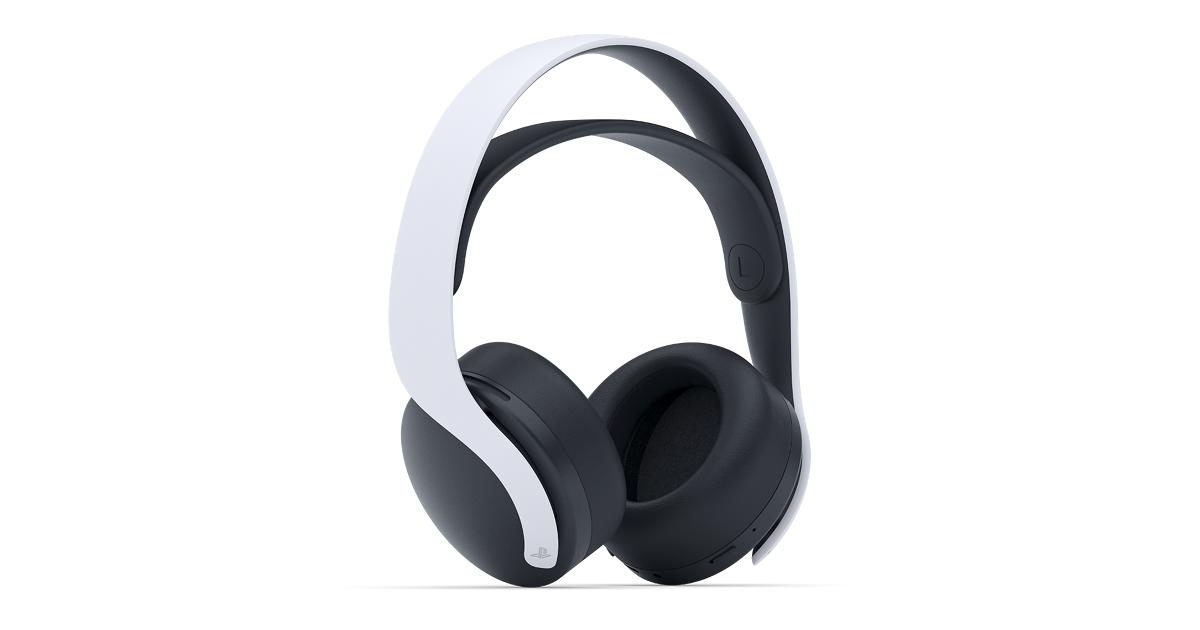
PULSE 3D is the official headset family most closely associated with PS5. It is designed for wireless play, console compatibility, and PlayStation audio features. The appeal is not only sound; it is the way the headset fits the PS5 ecosystem. A player who wants a straightforward official option can start there instead of comparing unrelated gaming headsets with different dongles, apps, controls, and compatibility claims.
The official page is still the best place for current model details, colors, package contents, and compatibility notes. Headsets change over time, and regional availability can vary. This guide explains the role of the category, while PlayStation provides the current product specifics.
Chat Clarity and Microphone Needs
Voice chat is one of the strongest reasons to use a headset. TV speakers can create echo, room microphones can pick up background noise, and open rooms can make chat less clear. A headset places both audio and microphone behavior closer to the player. That can help friends hear you and can keep match audio from spilling into the room. It is especially useful in multiplayer games where communication matters.
The right headset decision depends on how serious chat is in your setup. Casual party chat may only need convenience. Competitive play may need consistent microphone behavior and quick mute access. Family rooms may need comfort and easy controls. When evaluating any PS5 headset, look at microphone placement, mute controls, comfort, battery behavior, and how easily it connects before each session.
3D Audio and Expectations
3D audio can make supported games feel more spatial, but it is not a magic switch that changes every game equally. The experience depends on game support, audio settings, the headset, and the listener. A headset can make spatial cues easier to notice because the sound is close to the ears and less affected by the room. That is why many players prefer headphones for games where direction matters.
Set expectations correctly. A headset should improve focus and privacy even when a game does not use every audio feature. If a title supports strong spatial audio, that becomes a bonus. If it does not, comfort, connection stability, microphone clarity, and controls still matter. The best purchase is one that remains useful beyond one feature label.
TV, Soundbar, and Headset Balance
Some PS5 setups need both speakers and headphones. TV audio is better for group watching, casual play, and shared entertainment. A headset is better for private sessions, chat, and focused gaming. A soundbar may make single-player games feel larger, but it does not replace the privacy and microphone functions of a headset. The choice is not always either-or.
A practical setup is to keep TV or soundbar audio as the default and use a headset for online play or quiet sessions. That gives the console flexibility. If you are building the setup slowly, buy the accessory that solves the most common problem first. If noise and chat are the problem, audio should move up the list.
Related PS5 Accessory Guides
PS5 Headset and Audio Guide FAQ
Is PULSE 3D the best headset for PS5?
PULSE 3D is the official PS5 wireless headset option and is a strong starting point for players who want console-first compatibility. Whether it is best depends on comfort, budget, and feature needs.
Do I need a headset for 3D audio?
A headset can make spatial audio easier to notice, but feature support varies by game and settings. Always check PS5 audio settings and official headset details.
Is a headset better than a soundbar for PS5?
A headset is better for privacy and chat. A soundbar is better for shared room audio. Many setups benefit from both.
What should I check before buying a PS5 headset?
Check comfort, microphone controls, wireless connection method, battery behavior, mute controls, and official compatibility notes.
Can I use a headset only for chat?
Many players use headsets mainly for chat and private multiplayer audio. The exact setup depends on console settings and headset support.
Where should I confirm PULSE 3D details?
Use the official PlayStation PULSE 3D product page for current specifications, colors, contents, and compatibility information.