Controller comparison
DualSense vs DualSense Edge
This comparison explains when the standard DualSense is enough and when DualSense Edge is worth choosing for customization-focused PS5 play.
Evidence basis: published PlayStation features and support information. This is a use-case comparison, not a hands-on comfort, durability, or battery test.
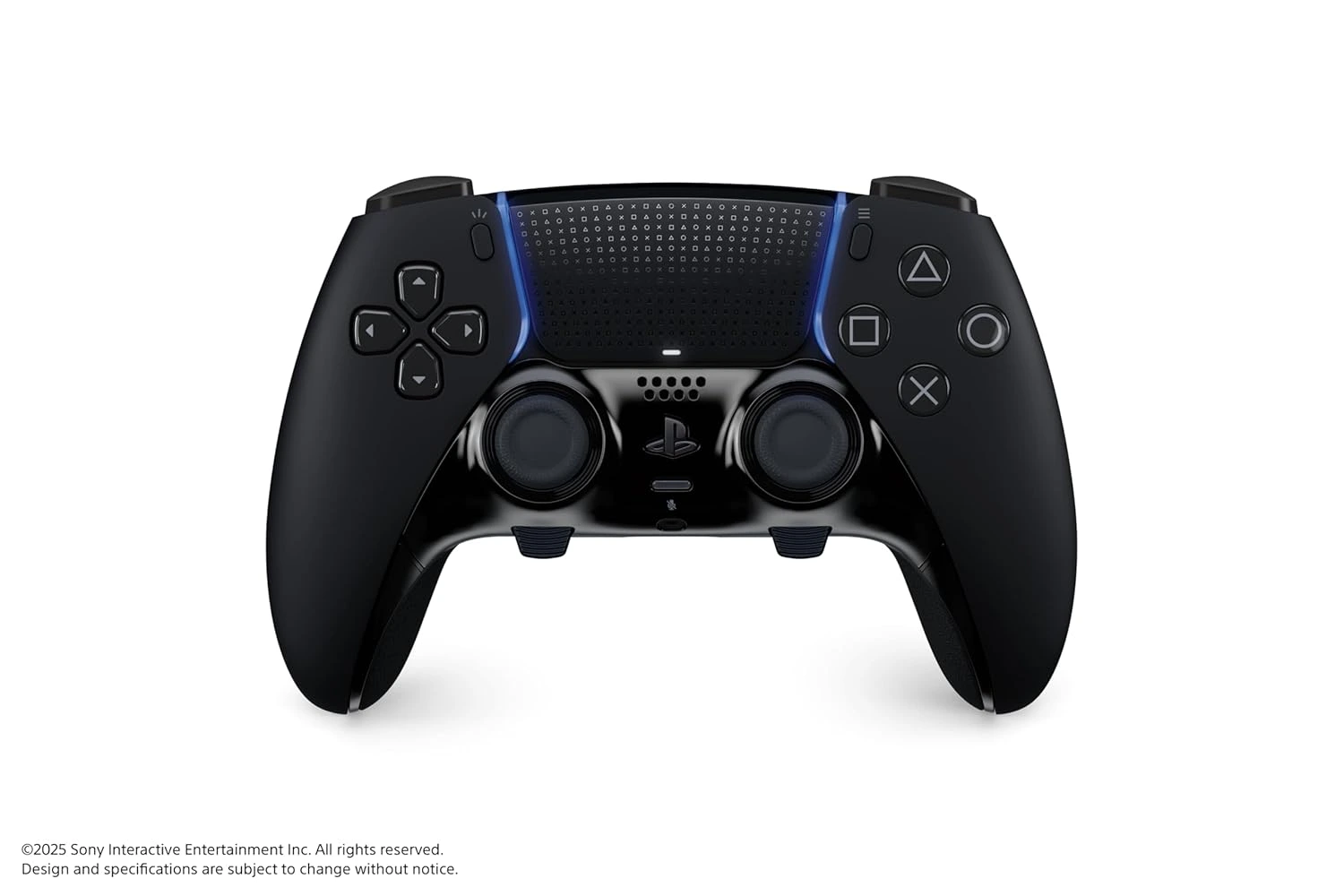
The Short Comparison
DualSense and DualSense Edge share the same foundation: both are official PS5 wireless controllers built around the PlayStation layout, haptic feedback, adaptive triggers, motion controls, and USB-C charging. The difference is not basic compatibility. The difference is whether the player wants advanced control tuning. DualSense gives the standard experience. DualSense Edge gives a configurable experience that can change from game to game.
That makes the decision easier than it first appears. If you do not already wish your controller had back buttons, remapped actions, shorter triggers, or saved profiles, the standard DualSense is probably enough. If you already notice those limits, DualSense Edge is the more serious tool.
Where DualSense Wins
DualSense wins on simplicity, value, and broad household usefulness. It is the controller that most PS5 players understand immediately. It is easier to recommend as a second controller because guests and family members can pick it up without learning custom profiles or extra parts. It is also the better fit when the main goal is couch co-op, sports games, family play, or replacing a worn controller.
DualSense also gives players the PS5-specific sensations that make the console feel distinctive. In supported games, haptics and adaptive triggers can add texture to movement, weather, weapons, vehicles, and tools. If that standard PS5 feel is what you want, DualSense already covers it.
Where DualSense Edge Wins
DualSense Edge wins when control customization matters more than price. Back buttons can reduce thumb movement. Remapping can place important actions where a player prefers them. Adjustable trigger lengths can make certain games feel faster. Saved profiles can keep different genres from fighting each other. Replaceable stick modules add a maintenance path that the standard controller does not offer in the same way.
Those benefits are strongest for players who repeat the same games, tune settings, and care about input speed or comfort. If you play competitive shooters, action games with demanding movement, or games where custom layouts reduce strain, Edge can feel like a real upgrade. If you only occasionally play, it may be more controller than you need.
Comfort, Profiles, and Learning Curve
A premium controller can still be a poor fit if the player never configures it. DualSense Edge asks for a little more intention. You need to decide what the back buttons should do, which profiles matter, and whether trigger stops help a specific game. The setup process is part of the value. Players who enjoy tuning will appreciate that. Players who want to start instantly may prefer the standard DualSense.
Comfort is personal, too. Some players like the extra controls immediately. Others need time to adapt because back buttons change hand behavior. The best comparison is not only feature lists; it is how often those features will be used after the first week.
Best Use Cases by Player Type
For most households, DualSense is the better first purchase. For a single dedicated player who already knows what they want from controls, DualSense Edge is easier to justify. For families, buy enough standard controllers first. For competitive players, compare Edge features carefully. For players who want a collector color or matching setup, standard DualSense color editions may matter more than premium functions.
The strongest setup may include both: standard DualSense controllers for guests and everyday play, plus DualSense Edge for the person who cares most about customization. That avoids forcing one controller type to solve every use case.
Related PS5 Accessory Guides
DualSense vs DualSense Edge FAQ
Is DualSense Edge better than DualSense?
DualSense Edge is better for customization, but DualSense is better value for most players. Better depends on whether you will use the Edge features often.
Do both controllers support haptic feedback?
Yes, both controllers keep core DualSense features such as haptic feedback and adaptive triggers in supported PS5 games.
Which controller is best for families?
The standard DualSense is usually best for families because it is easier to share and more cost-effective when multiple controllers are needed.
Which controller is best for competitive play?
DualSense Edge is better for competitive-style setups because of back buttons, profiles, trigger adjustments, and remapping.
Should I replace DualSense with DualSense Edge?
Only replace it if you need advanced customization. Otherwise, DualSense remains an excellent everyday PS5 controller.
Where can I compare official specs?
Use the official PlayStation pages for DualSense and DualSense Edge for current specifications, availability, and included accessories.