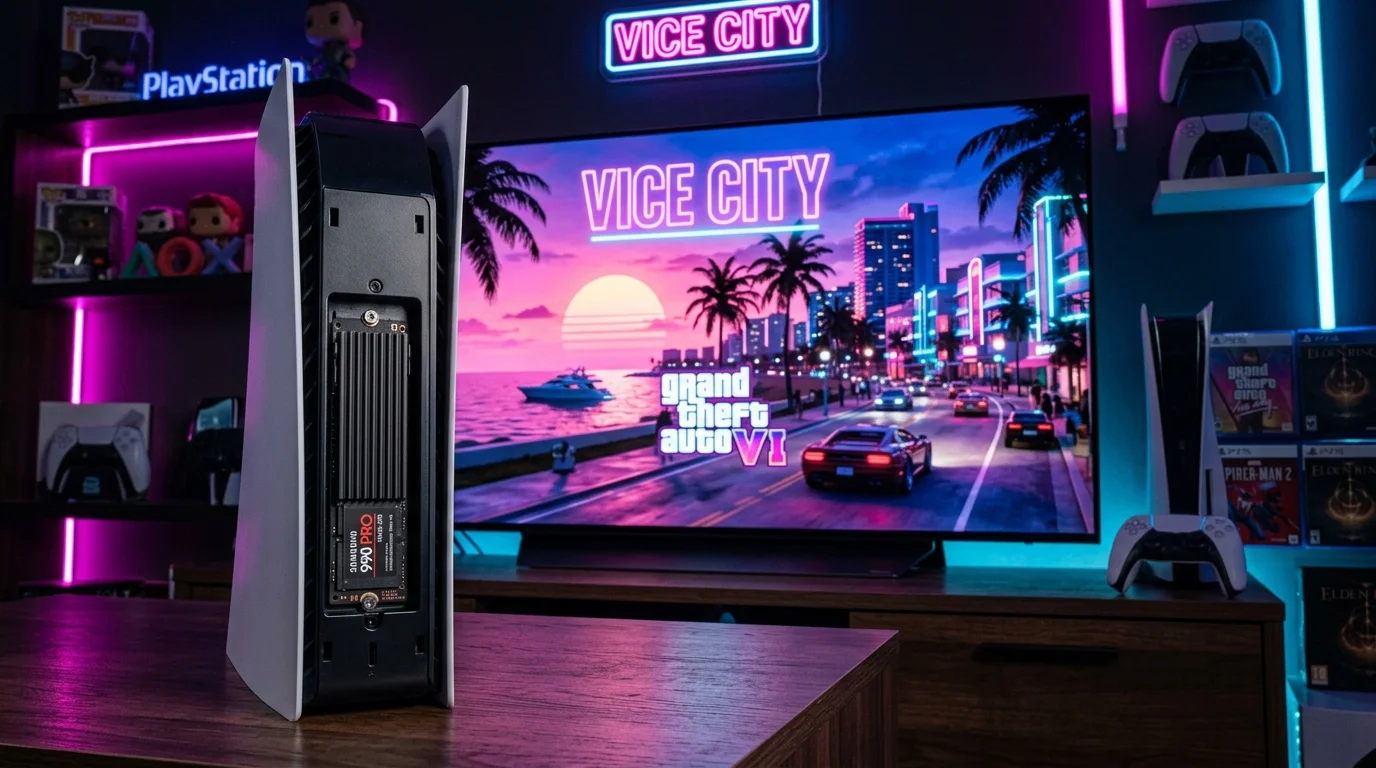
The GTA 6 File Size Reality: How Much Space Do You Actually Need?
Modern blockbuster open-world games have grown enormously in scope. Red Dead Redemption 2 required over 110 GB on PS4, while Call of Duty HQ regularly surpasses 200 GB. For Grand Theft Auto VI, Rockstar is delivering the most dense representation of Leonida and Vice City ever produced, featuring uncompressed multichannel audio, high-resolution ray-traced surface textures, and dynamic atmospheric volumetric lighting.
While the PS5 hardware features an integrated hardware Kraken decompression block that reduces game file footprints compared to PC, the sheer density of custom physics simulations and dialogue banks puts the projected download at 150 GB to 180 GB, with an additional 20 GB to 30 GB needed as temporary unpacking buffer during day-one patching.
| PS5 Model | Advertised SSD | Usable Free Space | GTA 6 Impact |
|---|---|---|---|
| Original Launch PS5 | 825 GB | 667.2 GB | Consumes ~27% of your total usable storage. |
| PS5 Slim | 1,000 GB (1 TB) | 848.0 GB | Consumes ~21% of your total usable storage. |
| PS5 Pro | 2,000 GB (2 TB) | 1,890.0 GB | Consumes ~9% of your total storage headroom. |
Digital Preload Countdown: When Can You Start Downloading?
When downloading a game file larger than 150 GB, network congestion on launch day can delay access by hours. Taking advantage of the digital preload ensures you are playing the instant servers unlock at midnight.
- Preload Window: PlayStation Store schedules automatic preloads to begin exactly 48 hours prior to midnight local time on launch day.
- Automatic Download Verification: Go to Settings > Saved Data and Game/App Settings > Automatic Updates and toggle Auto-Download and Auto-Install in Rest Mode to On.
- Wired LAN Connection: If possible, connect your PS5 via Gigabit Ethernet cable during preload week to prevent Wi-Fi packet loss from restarting large archive segments.
Will GTA 6 Run at 60 FPS on Base PS5 vs PS5 Pro?
The single biggest technical debate among gamers is whether the base PS5 can sustain 60 frames per second in a world as dense as GTA 6. Based on Rockstar's engine history and console hardware bottlenecks, here is the technical breakdown:
The CPU Bottleneck on Base PS5
Grand Theft Auto games are heavily CPU-bound. Simulating realistic traffic behavior, pedestrian routines, police dispatch AI, cloth dynamics, and sound propagation places massive demands on the base PS5's 8-core AMD Zen 2 CPU clocked at 3.5 GHz. Because CPU calculations cannot easily be scaled down by lowering display resolution, the base PS5 will prioritize a rock-solid 30 FPS Fidelity mode with rich ray-traced reflections.
How the PS5 Pro Achieves 60 FPS with PSSR
The PS5 Pro introduces two game-changing advantages: a 10% CPU clock boost (3.85 GHz) and dedicated PlayStation Spectral Super Resolution (PSSR) tensor hardware. By rendering internal geometry at 1200p–1440p and letting machine learning reconstruct a pristine 4K image, the GPU frees up rendering cycles to deliver an unlocked or stable 60 FPS Performance Pro mode with ray tracing preserved. Check our PS5 Pro PSSR Settings Guide for full display details.
Recommended M.2 NVMe SSDs for GTA 6
If you own an original base PS5, installing an M.2 SSD is the only way to play GTA 6 without constantly deleting your current library. Sony mandates specific hardware requirements:
- Interface: PCIe Gen4 x4 M.2 NVMe SSD.
- Sequential Read Speed: 5,500 MB/s minimum (6,500+ MB/s recommended for smooth asset streaming).
- Heatsink Requirement: Must have an integrated heatsink that does not exceed 11.25mm in total thickness to fit inside the bay.
Top tested drives meeting all Sony standards include the Western Digital WD_BLACK SN850X (7,300 MB/s) and the Samsung 990 Pro with Heatsink (7,450 MB/s). For complete installation photos and formatting instructions, read our PS5 Storage and SSD Guide.
Vice City Display Calibration: HDR, VRR & 120Hz
Vice City's neon-lit nightlife, ocean reflections, and humid sunsets make proper HDR calibration critical to prevent highlight blowout:
- Enable HGiG (HDR Gaming Interest Group): If your TV supports HGiG (common on LG OLEDs), enable it before running console HDR setup. This ensures the TV does not double-tone-map Rockstar's calibrated lighting.
- Lock 120Hz Output to Automatic: If a 40 FPS balanced mode is available for 120Hz displays, it provides a 33% latency improvement over 30 FPS while preserving full ray-tracing fidelity.
- Enable Variable Refresh Rate (VRR): Keeps fast vehicle chases smooth when tearing through crowded downtown intersections. Review our PS5 TV and HDR Settings Guide for exact screen calibration values.
Frequently Asked Questions
Will GTA 6 come on multiple physical discs for PS5?
Standard Ultra HD Blu-ray discs on PS5 hold up to 100 GB of dual-layer data. Because GTA 6 will exceed 150 GB, the physical edition is widely expected to ship on two discs (one data install disc, one play disc) or require a mandatory digital download upon initial disc insertion.
Can I store GTA 6 on an external USB hard drive?
Yes, you can copy the GTA 6 game files to an external USB 3.0 hard drive to store them when not playing, but you cannot boot or play the game directly from USB storage. You must transfer the game back to the internal PS5 SSD or an M.2 SSD to play.
Which GTA 6 edition should I pre-order?
If you plan to play GTA Online extensively, the Deluxe Edition with bonus Vice City currency and cosmetics offers great value. For story-first players, the Standard Edition provides the full single-player experience. Compare bonuses in our GTA 6 Pre-Order Editions Guide.
Kevin Anderson
Hardware Specialist & Console Performance Editor
Kevin analyzes console memory architectures, SSD throughput, and graphics engine optimization. All benchmarks prioritize physical hardware realities over marketing claims.
Explore Related GTA 6 & PS5 Guides
GTA 6 Editions Guide
Compare Standard, Deluxe, and Collector's pre-order bonuses.
Launch Day Checklist
Preload countdown, server unlock times, and launch day setup.
PS5 Storage & SSD Guide
Step-by-step M.2 NVMe SSD installation and speed requirements.
PS5 Pro PSSR Settings
Calibrate display resolution, VRR, and 120Hz frame rates.