Premium PS5 controller guide
DualSense Edge Wireless Controller
DualSense Edge is the official premium PS5 controller for players who want remappable controls, saved profiles, back buttons, adjustable trigger lengths, and replaceable stick modules.
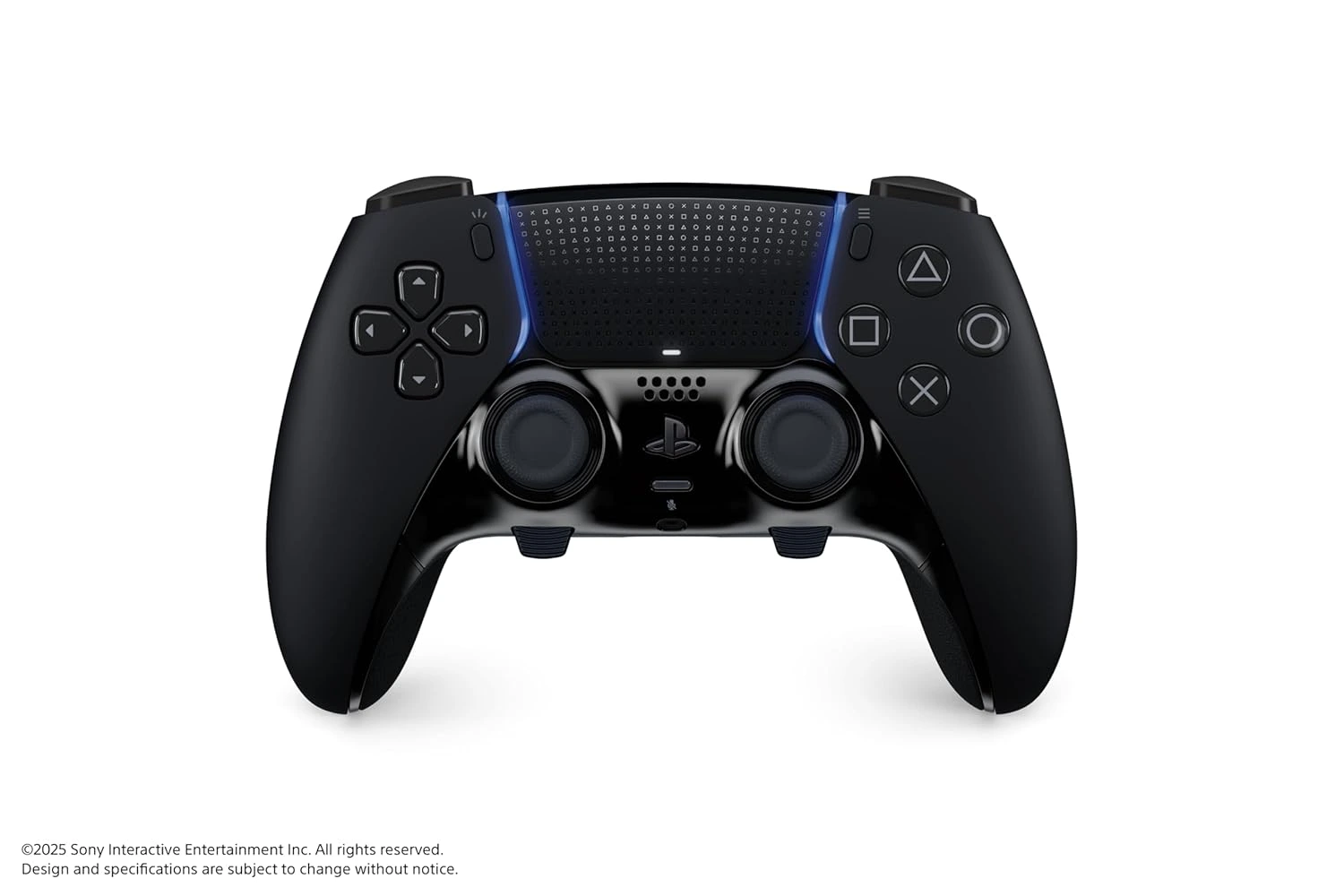
Key DualSense Edge Features
DualSense Edge keeps the core DualSense feel and adds hardware and software customization for players who want a more personal control setup.
- Remappable button inputs and saved control profiles.
- Changeable back buttons for extra inputs without moving your thumbs from the sticks.
- Adjustable trigger lengths for faster or longer trigger pulls.
- Swappable stick caps and replaceable stick modules for maintenance and preference changes.
- On-controller function controls for switching profiles and adjusting settings quickly.
- Core DualSense features, including haptic feedback, adaptive triggers, built-in microphone, motion controls, and USB-C charging.
DualSense Edge vs DualSense
Choose DualSense Edge if you know exactly which controls you want to remap, need back buttons, or switch between games that benefit from different profiles. Choose the standard DualSense Wireless Controller if you want the official PS5 controller experience at a lower cost and do not need advanced customization.
Compatibility Notes
DualSense Edge is made for PS5 and can be used with supported devices in many of the same situations as DualSense. Advanced customization features are most directly tied to PS5 system support, so check the official PlayStation page before buying if you plan to use it mainly outside PS5.
Replaceable stick modules and accessories may have separate availability. Use PlayStation's official product page for the current contents, regional availability, and support details.
Buying Criteria for DualSense Edge
DualSense Edge is the right choice when customization is not just interesting but useful. The controller is designed for players who want to change how inputs behave, keep multiple profiles, use back buttons, shorten trigger pulls, and adjust stick feel. If those ideas sound like features you would configure once and then forget, the standard DualSense may be the better value. If they sound like tools you would use from game to game, Edge becomes much easier to justify.
The strongest buying signal is repeated friction with the standard controller layout. If you wish important actions were available without moving your thumbs, back buttons can help. If different games need different layouts, profiles can help. If trigger travel feels too long in certain games, adjustable trigger lengths can help. DualSense Edge is not simply a luxury version of DualSense; it is a controller for players who know what they want to tune.
Customization Workflow
To get value from DualSense Edge, build a workflow instead of randomly changing settings. Start with one game you play often. Decide which action costs the most comfort or reaction time. Map that action to a back button or adjust the layout. Test for several sessions before changing everything again. Saved profiles become more useful when each profile has a clear job, such as one for shooters, one for action games, and one for racing or sports titles.
This workflow matters because too many changes at once can make a controller feel confusing. The point of customization is to make play more natural, not to create a settings project every time you launch a game. Edge rewards players who are patient enough to tune one problem at a time. That is why it fits advanced players better than casual players who want a controller that disappears into the background.
Maintenance and Replacement-Part Thinking
One of the practical advantages of DualSense Edge is the replaceable stick module concept. That does not mean the controller should be treated carelessly. It means advanced users have a clearer maintenance path than they do with a standard controller. Stick caps, modules, back buttons, cable habits, and carrying case behavior all become part of owning a premium controller responsibly.
Before buying, check the official PlayStation page for current package contents and accessory availability. Replacement parts may have separate availability by region or time. A premium controller should be evaluated as a system: controller, included parts, charging routine, profile setup, and long-term maintenance. That full picture is more useful than judging it only by the first week of play.
Who Should Skip DualSense Edge?
Many players should skip DualSense Edge, and that is not a criticism of the controller. If you mainly play single-player games casually, rarely change control layouts, do not need back buttons, and already enjoy the standard DualSense, the premium features may not change enough to justify the upgrade. A second standard DualSense, a charging station, or storage expansion may solve more practical problems first.
DualSense Edge makes the most sense after the basic setup is already strong. Make sure the household has enough controllers, charging is reliable, storage is not constantly interrupting downloads, and audio needs are handled. Then consider Edge if one player wants a deeper input tool. That order keeps the controller decision grounded in the full PS5 accessory map.
Related Controller and Accessory Guides
DualSense Edge research should not stop at the product page. If you are comparing it with the standard controller, read the DualSense vs DualSense Edge comparison. If you are deciding what controller setup fits a household, read the best PS5 controllers guide. If the premium controller will be part of a broader setup, check the PS5 accessory setup checklist.
Use the PS5 accessory hub when the Edge decision competes with storage, audio, charging, or streaming upgrades. A premium controller can be the right move for a dedicated player, but it should not crowd out more urgent setup fixes. The best accessory order is the one that improves the sessions you actually play every week.
DualSense Edge FAQ
Is DualSense Edge only for competitive players?
No. It is useful for anyone who wants customized controls, but competitive and advanced players are more likely to use its extra features often.
Does DualSense Edge replace the standard DualSense?
No. It is a premium option. The standard DualSense remains the best fit for most everyday PS5 players.
Where should I confirm current DualSense Edge details?
Use the official PlayStation DualSense Edge page for current specifications, contents, compatibility notes, and buying options.