Official PS5 controller guide
DualSense Wireless Controller
The DualSense Wireless Controller is the standard official controller for PS5, built around haptic feedback, adaptive triggers, motion controls, voice chat options, and USB-C charging.
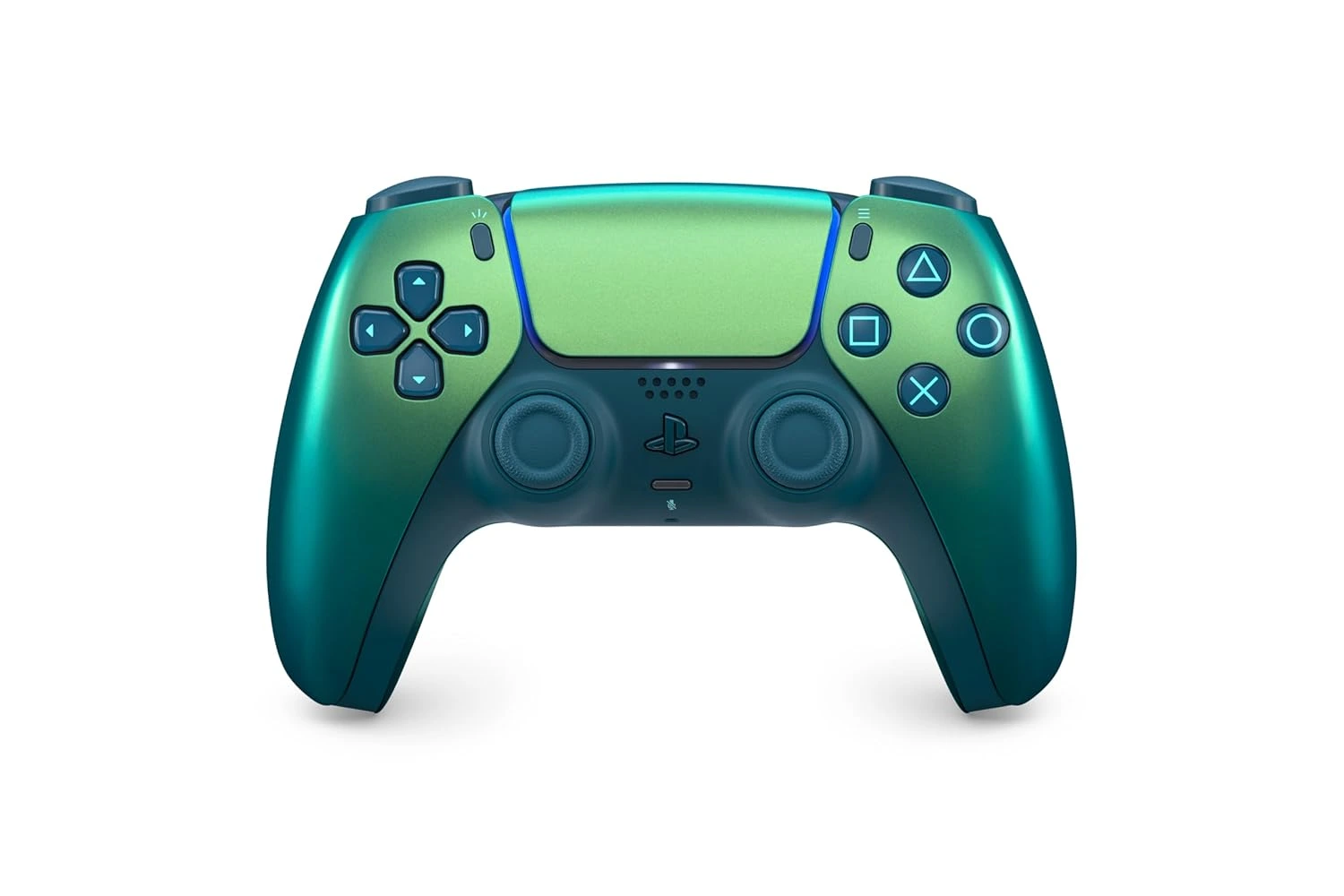
Key DualSense Features
DualSense is built to make supported PS5 games feel more responsive in your hands. It keeps the familiar controller layout while adding sensory and communication features that developers can use in gameplay.
- Haptic feedback for more detailed vibration effects in supported games.
- Adaptive triggers that can add resistance for supported actions such as braking, drawing a bow, or using in-game tools.
- Built-in microphone, mute button, speaker, and 3.5mm headset jack for chat and audio options.
- Create button for capturing and sharing gameplay moments.
- Motion sensor with accelerometer and gyroscope support.
- Built-in battery with USB-C charging.
Compatibility Notes
DualSense is made for PS5 and can also be used with supported PC, Mac, Android, iOS, and PS Remote Play setups. Feature support varies by device, game, and connection method, so the official PlayStation page is the best place to confirm current compatibility details.
For PC play, haptic feedback and adaptive triggers may depend on the game and may require a USB connection. Keep the controller firmware updated for the best experience.
Who Should Choose DualSense?
Choose DualSense if you want the regular PS5 controller experience, need an extra controller for local multiplayer, want official color options, or prefer the standard PlayStation layout. Choose DualSense Edge if you need remappable buttons, back buttons, adjustable trigger lengths, swappable stick caps, and custom profiles.
Buying Criteria for DualSense
DualSense is the right controller when the goal is reliable everyday PS5 play. It should be the first controller most households consider because it is official, familiar, and broadly useful. A second DualSense can be more valuable than a premium controller if the console is shared for local multiplayer, family play, or guest sessions. The key buying question is not whether DualSense is capable; it is whether you need the standard controller experience or a more advanced customization tool.
Choose DualSense when you want another player slot, a fresh battery, a different color, or a controller that any guest can pick up quickly. Choose DualSense Edge only if you know you will use remappable controls, back buttons, trigger-length changes, and saved profiles. This difference matters because the standard controller already covers the features most PS5 games expect, while Edge is designed for players who actively tune their input setup.
Setup, Charging, and Daily Use
A DualSense controller is easiest to live with when it has a consistent charging routine. USB-C charging works well, but a shared PS5 setup may benefit from a dedicated charging station because controllers are less likely to be misplaced or left with low battery. If two controllers are in rotation, one can charge while the other is being used. That simple habit can make local multiplayer and family play feel much smoother.
Daily use also includes firmware and compatibility habits. Keep the controller updated when the console prompts for it, check game settings for haptic feedback and adaptive trigger preferences, and adjust microphone or speaker behavior if chat settings feel intrusive. A controller is not only hardware; it is part of the PS5 settings experience. Small adjustments can make the standard controller feel more personal without needing a premium model.
How DualSense Fits the PS5 Accessory Guides
DualSense sits at the center of the PS5 accessory map because every other accessory supports the play session around it. A charging station keeps it ready. A headset complements it when chat and private audio matter. Storage expansion keeps more games available for the controller to launch into. Media and camera accessories expand the console into entertainment and streaming, but the controller remains the everyday input device most players touch first.
If you are building a setup in stages, start by making sure the controller layer is solved. For one player, that may mean one well-maintained DualSense. For a household, it may mean two standard controllers and a charging routine. For a competitive or customization-focused player, it may mean adding DualSense Edge later. The accessory order should follow actual use, not the idea that every product needs to be purchased at once.
Common DualSense Mistakes to Avoid
The first mistake is buying a premium controller before identifying a premium need. If the issue is simply needing another controller, DualSense is usually the better answer. The second mistake is ignoring charging. Even a great controller becomes frustrating when it is not ready. The third mistake is assuming every haptic or adaptive trigger effect appears in every game. These features depend on game support and settings.
A better approach is to match the controller to the session. Use DualSense for standard play, local multiplayer, and color or replacement needs. Use DualSense Edge when you want deeper control over inputs. Use the official PlayStation page to confirm current colors, editions, package details, and compatibility notes before buying. That keeps the decision grounded in current information instead of assumptions.
Related Controller and Accessory Guides
DualSense research connects directly to the wider PS5 accessory guides. If you are choosing between controller models, read the DualSense vs DualSense Edge comparison. If you are planning a household setup, review the best PS5 controllers guide. If the controller is often low on battery, the charging station guide may solve a more frequent problem than buying another controller.
Use the PS5 accessory hub when the controller decision affects other parts of the setup. Controller count, charging habits, headset use, storage pressure, and streaming behavior often overlap. A strong setup is built by solving those linked issues in the right order instead of treating every accessory as an isolated purchase.
DualSense FAQ
Does DualSense work wirelessly on PS5?
Yes. DualSense is the official wireless controller for PS5. It can also be connected and charged with a USB-C cable.
Does every game use haptic feedback and adaptive triggers?
No. These features depend on game support, and behavior can vary from one title to another.
Where should I check current colors and availability?
Use the official PlayStation DualSense page for current color, edition, compatibility, and buying information.