PS5 controller guides
Official PS5 Controller Buying Guide
This guide compares Sony's two official controller families—DualSense and DualSense Edge. It does not claim to rank every licensed or third-party PS5 controller.
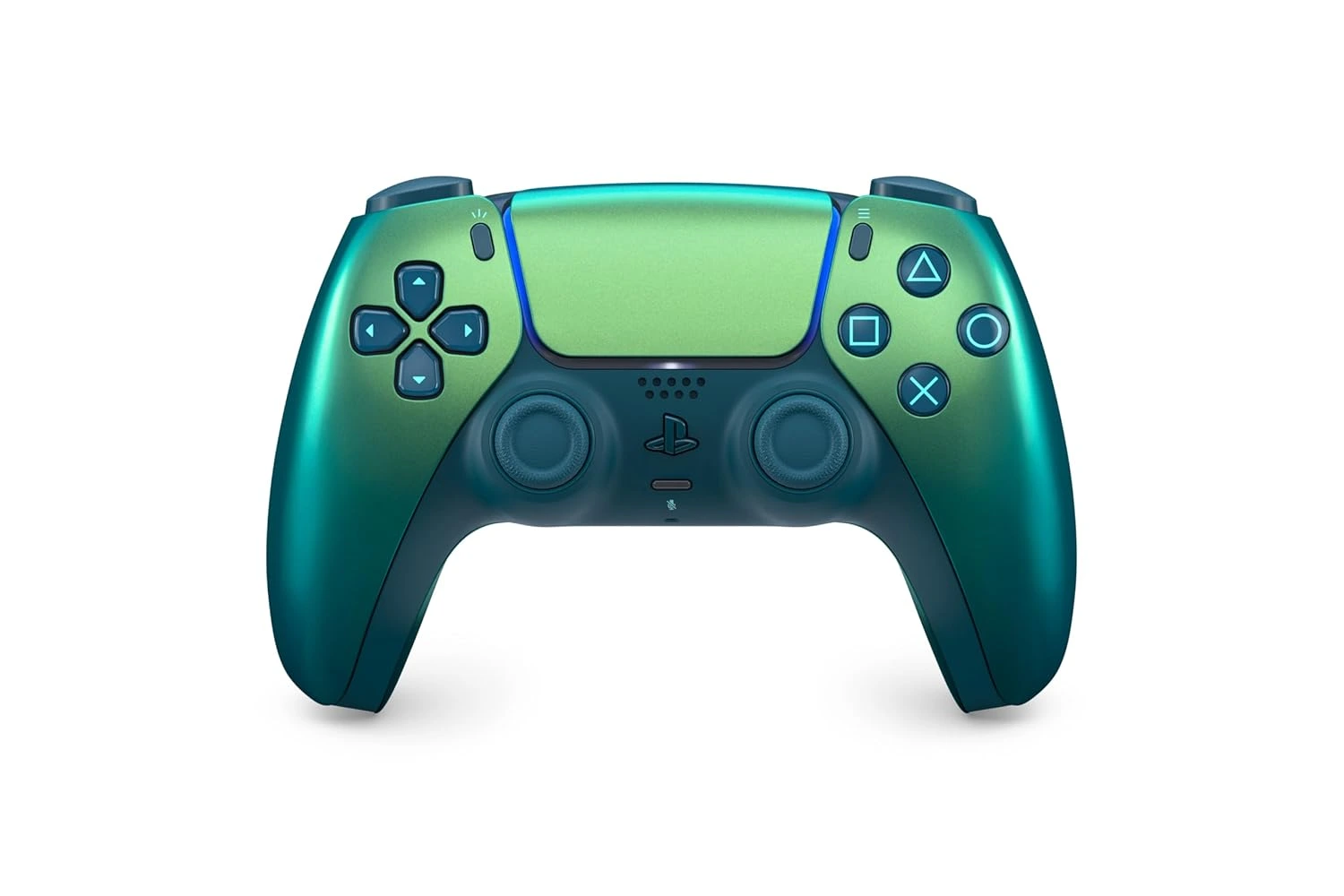
Best Overall: DualSense Wireless Controller
DualSense is the safest controller recommendation because it is the controller PS5 games are designed around. It supports haptic feedback, adaptive triggers, motion controls, built-in microphone features, a speaker, a create button, and USB-C charging. For most players, those features matter more than advanced customization because they are built into the everyday PS5 experience. If someone simply needs a reliable controller for single-player games, local multiplayer, family play, or a second-player slot, DualSense is the first place to start.
The standard DualSense also has the broadest fit across PS5 homes. It is familiar, official, and available in multiple colors and editions over time. The main buying question is not whether DualSense works well; it is whether the player needs more than the standard controller provides. If the answer is no, the extra cost and complexity of a premium controller may not be justified.
Best Premium Choice: DualSense Edge
DualSense Edge is the best PS5 controller for players who tune controls by game. It adds back buttons, remappable button profiles, adjustable trigger lengths, replaceable stick modules, and swappable stick caps. Those features are valuable when a player wants faster access to actions, a shorter trigger pull, or multiple control profiles for different genres. It is not just a more expensive DualSense; it is a controller for people who know what they want to change.
The premium controller is strongest for players who repeatedly notice limitations in a standard layout. If you want jump, crouch, reload, or ability inputs available without moving thumbs from the sticks, back buttons can help. If you move between shooters, action games, racing games, and platformers, saved profiles can be useful. If you do not use these tools, the standard DualSense remains a better value.
How to Choose for Local Multiplayer
Local multiplayer changes the controller decision. A household with guests or family members usually benefits more from an extra standard DualSense than one premium controller. Two reliable controllers make co-op, sports games, party games, and shared play easier. A single DualSense Edge may be excellent for one person, but it does not solve the problem of needing another player slot on the couch.
For shared setups, consider color coding as a practical detail. Different controller colors make it easier to track whose controller is charged, paired, or assigned to a profile. That small convenience matters more than people expect in a busy living-room setup. If the goal is social play, prioritize enough official controllers before premium customization.
Compatibility and PC Use
Both DualSense and DualSense Edge are built for PS5 first, but they can also be used with supported devices outside the console. The important caveat is that feature support varies. A game on PC may support basic input but not every haptic or adaptive trigger feature. Some features can depend on USB connection, game support, firmware, platform, and app compatibility. That is why official support pages should be checked before buying a controller mainly for non-PS5 use.
For PS Remote Play, cloud play, or PC gaming, the safest assumption is that the controller can be useful but the complete PS5-specific feature set is not guaranteed everywhere. If the main reason for buying a controller is PS5, choose based on PS5 needs. If the main reason is PC, check the games and platforms you plan to use most often.
Controller Buying Mistakes
The most common mistake is buying a premium controller before understanding the problem it solves. DualSense Edge is excellent for customization, but it is not necessary for every player. Another mistake is buying only one controller for a household where local multiplayer is common. A third mistake is ignoring charging. Even the best controller becomes frustrating when it is not ready when the session starts.
A better plan is to list your actual controller pain points. Do you need another player slot? Do you run out of charge? Do you want back buttons? Do you switch control schemes by game? Do you care about color matching a setup? Each answer points to a different purchase. Good controller research starts with use cases, not hype.
Editorial Method and Update Notes
This Official PS5 Controller Guide page is written as independent editorial guidance, not as a product listing or checkout page. The goal is to answer the main search question first, explain the tradeoffs in plain language, and then point readers toward official PlayStation resources for current product details. That approach keeps the guide useful even when colors, regional availability, bundles, or support wording changes over time.
Related PS5 Accessory Guides
Official PS5 Controller Guide FAQ
What is the best PS5 controller for most people?
The standard DualSense Wireless Controller is best for most people because it is official, familiar, and supports the core PS5 controller features used by supported games.
Is DualSense Edge worth it?
DualSense Edge is worth it if you use remapping, back buttons, profiles, adjustable triggers, and replaceable stick modules. It is not necessary for players who only need the standard PS5 controller experience.
Should I buy two DualSense controllers or one DualSense Edge?
For local multiplayer, two DualSense controllers are usually more useful. For one serious player who wants customization, DualSense Edge can make more sense.
Do PS5 controllers work on PC?
DualSense controllers can work with supported PC setups, but feature support varies by game, connection, platform, and app. Always check official compatibility notes for your intended use.
What controller should families buy?
Families should usually start with extra standard DualSense controllers because they support more players and are easier to share.
Where should I confirm current controller colors?
Use the official PlayStation DualSense product page for current colors, editions, availability, and support notes.