Camera and creator setup
PS5 Camera and Streaming Guide
This guide explains when the PS5 HD Camera is useful, who should consider it, and why streaming setups also need lighting, audio, and privacy planning.
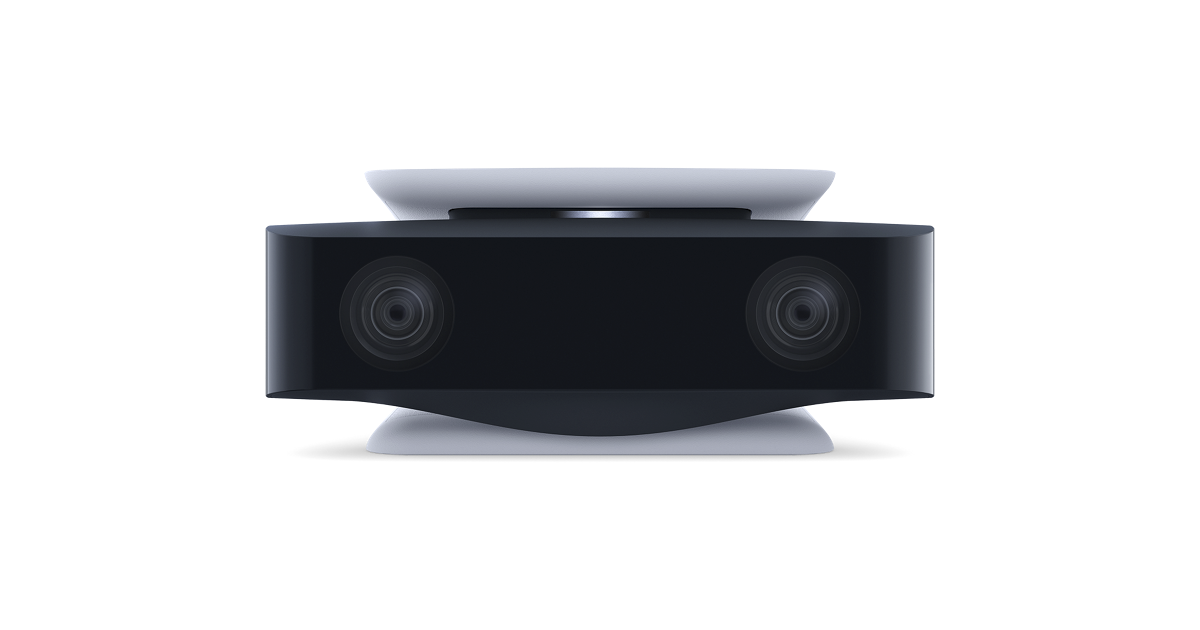
What the HD Camera Is For
The PS5 HD Camera is a creator-focused accessory. It is not a required part of normal gameplay, and many PS5 owners will never need one. Its value appears when a player wants camera presence in broadcasts, wants to personalize a stream, or wants a simpler console-first camera option. For people who only play games privately, the accessory is easy to skip.
That distinction matters for buying intent. A camera is not like a controller or storage upgrade that solves a broad everyday problem. It solves a specific creator problem. If you are not broadcasting, recording, or experimenting with on-camera presentation, spend accessory budget elsewhere first.
Streaming Setup Basics
A good camera setup starts with placement and lighting. Even a capable camera can look weak in a dark room, against a busy background, or from an awkward angle. Place the camera where the viewer sees the player clearly without blocking the TV. Use soft light from the front or side. Keep the background clean enough that it does not distract from the game or the person speaking.
Audio matters as much as video. Viewers will tolerate average camera quality more easily than unclear voice. If you stream, pair camera planning with headset or microphone planning. A simple setup with clear audio and stable framing is better than a camera-heavy setup with poor sound and clutter.
Privacy and Room Awareness
Camera accessories deserve privacy planning. Before broadcasting, check what is visible behind you, whether names or personal items are in frame, and whether other people may walk through the shot. Streaming from a shared living room requires more care than streaming from a dedicated desk. A camera should be easy to disable, cover, or reposition when not in use.
Privacy also includes account behavior. Make sure broadcast settings, voice chat, and notifications are configured before going live. A polished stream is partly technical and partly procedural. Good habits prevent mistakes that are hard to undo once content is public.
Who Should Buy It
The HD Camera makes sense for console streamers who want a direct PS5-friendly accessory and do not want a more complicated capture-card or PC streaming setup. It also makes sense for creators who are testing whether streaming is something they will keep doing. It may not be the right choice for advanced streamers who already use external production tools, overlays, multiple camera angles, or a PC-based workflow.
For most players, the camera should come after controller, audio, charging, or storage needs. It is a focused accessory. Buy it when you know you will use the camera feature repeatedly, not just because it completes the accessory shelf.
How Camera Content Connects to the Accessory Guides
Camera quality is only one part of streaming. The headset guide matters because voice clarity can decide whether viewers stay. The media remote guide matters if the PS5 is also an entertainment device. The setup checklist matters because cables, charging, and storage can interrupt a stream. A creator setup is a system, not a single accessory.
Use this camera guide as the streaming entry point, then review audio and setup pages if the goal is a reliable broadcast routine. The best stream accessory is the one that removes friction before viewers notice it.
Editorial Method and Update Notes
This PS5 Camera and Streaming Guide page is written as independent editorial guidance, not as a product listing or checkout page. The goal is to answer the main search question first, explain the tradeoffs in plain language, and then point readers toward official PlayStation resources for current product details. That approach keeps the guide useful even when colors, regional availability, bundles, or support wording changes over time.
Related PS5 Accessory Guides
PS5 Camera and Streaming Guide FAQ
Do all PS5 owners need the HD Camera?
No. The HD Camera is mainly useful for broadcasting or creator setups. Most casual players do not need it.
Is lighting important for PS5 streaming?
Yes. Lighting can make a bigger difference than people expect. A camera performs better when the face is well lit and the background is controlled.
Do I need a headset with the HD Camera?
A headset or good microphone setup is strongly recommended for streaming because clear audio is critical for viewers.
Can the HD Camera improve gameplay?
It does not improve normal gameplay performance. Its value is broadcast presence and creator workflow.
What should I check before streaming with a camera?
Check framing, lighting, background privacy, notifications, microphone clarity, account settings, and whether others may appear in the room.
Where should I confirm HD Camera details?
Use the official PlayStation HD Camera product page for current specifications, setup notes, and availability.